How to Use an Online Calculator – Basic Arithmetic, Percentages & Tips Guide
Have you ever needed to quickly calculate something but could not find a calculator? Or maybe you needed to figure out a discount percentage while shopping but did not know how to do the math in your head?
I remember standing in a store, trying to calculate how much I would save on a 30% discounted item. The original price was $47. I stood there for almost a minute trying to do the math in my head. 30% of 47 is about 14, so the final price would be around 33. But was that exact? I was not sure. I ended up buying it anyway, but I kept wondering if I had calculated correctly.
After that experience, I started using online calculators for everything. Shopping discounts, bill splitting, tax calculations, budgeting. Now I never have to guess. This guide will show you how to use an online calculator for everyday calculations. No complicated functions. Just practical tips you can use right away.
Quick access: Use our free online calculator here
What is an Online Calculator? Simple Answer
An online calculator is a calculator that works in your web browser. You do not need to install anything, download any app, or carry a physical device. Just open the website and start calculating.
Basic operations it can do:
- Addition (+)
- Subtraction (-)
- Multiplication (×)
- Division (÷)
- Percentage (%)
Think of it like the calculator on your phone, but accessible from any device without needing to unlock anything.
Why Use an Online Calculator Instead of a Physical One?
After using both types for years, here is what I have found.
Advantages of online calculator:
- Always available (no batteries to die)
- Free (no purchase needed)
- Works on any device (phone, tablet, computer)
- Keyboard support (type faster than pressing buttons)
- Larger display (easier to read)
When to use a physical calculator:
- During exams (if allowed)
- When you have no internet connection
- When you prefer physical buttons
For most everyday situations, an online calculator is faster and more convenient.
How to Use an Online Calculator – Basic Operations
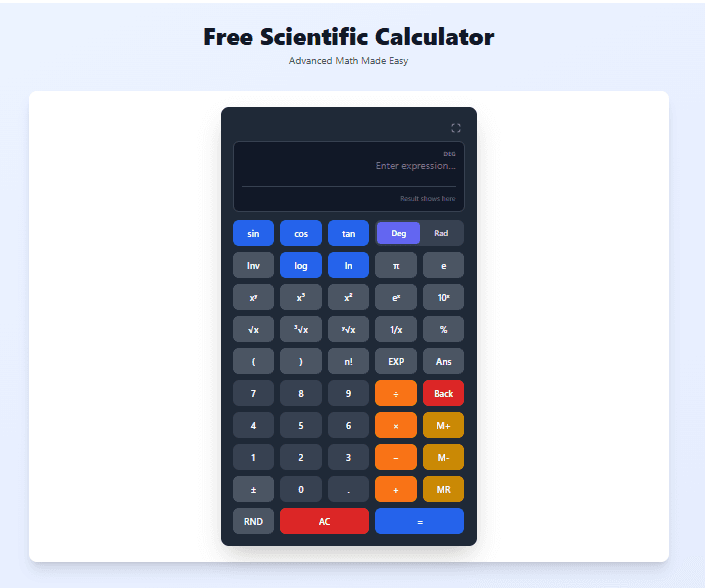
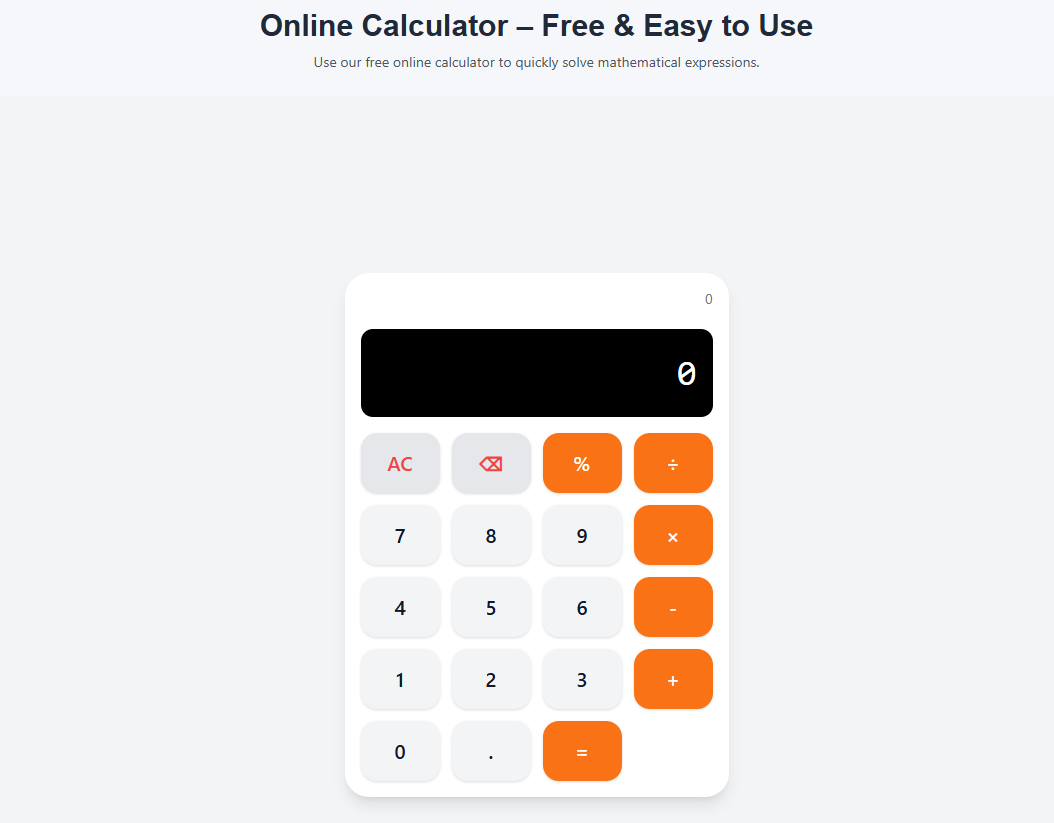
Our online calculator is designed to be simple. Here is how to use it.
Step 1: Open the Calculator
Go to the calculator page. You will see a display screen and buttons.
Step 2: Enter Numbers
Click the number buttons (0-9) on the screen, or type the numbers directly from your keyboard.
Step 3: Choose an Operation
Click the operator button or press the corresponding keyboard key.
| Operation | Button | Keyboard Key |
|---|---|---|
| Addition | + | + |
| Subtraction | - | - |
| Multiplication | × | * or Shift+8 |
| Division | ÷ | / |
| Percentage | % | % |
| Decimal point | . | . |
Step 4: See the Result
The calculator updates instantly as you type. You do not need to press equals for simple calculations.
Step 5: Clear if Needed
- Press AC to clear everything and start over
- Press ⌫ or backspace to delete the last character
How to Calculate Percentages Using an Online Calculator
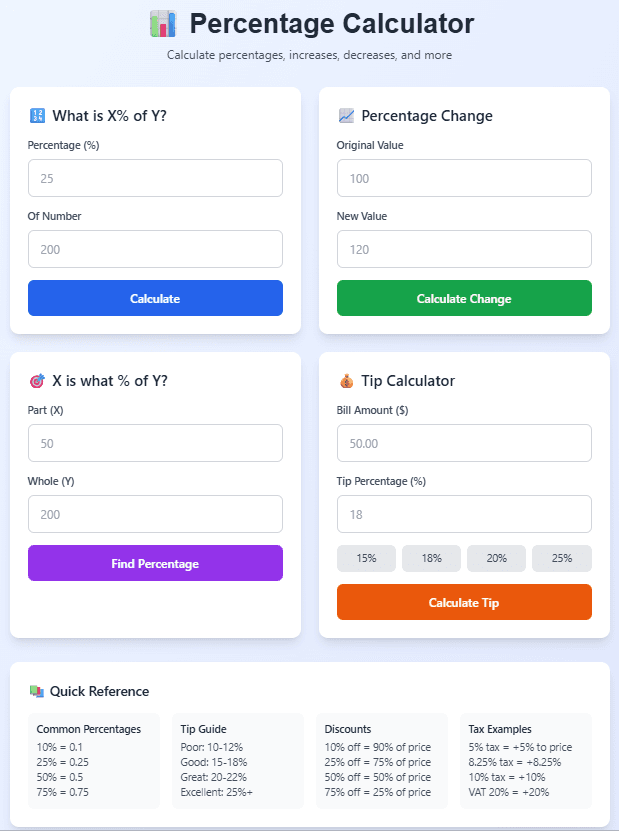
Percentage calculations are some of the most common uses for a calculator. Here is how to do them.
How to Calculate a Percentage of a Number
Problem: What is 20% of 80?
Formula: 80 × 20% = 16
Steps on calculator:
- Type 80
- Press ×
- Type 20
- Press %
- Result: 16
Answer: 20% of 80 is 16
How to Calculate a Discount (Save Money While Shopping)
Problem: A $50 shirt is on sale for 25% off. How much do you pay?
Formula: Final price = Original price × (100% - discount%) = 50 × 75% = 37.50
Steps on calculator:
- Type 50
- Press ×
- Type 75 (this is 100% - 25% = 75%)
- Press %
- Result: 37.5
Answer: You pay $37.50
How to Calculate Tax on a Purchase
Problem: You buy an item for $100 and the tax rate is 8%. What is the total price?
Formula: Total = Original price × (100% + tax%) = 100 × 108% = 108
Steps on calculator:
- Type 100
- Press ×
- Type 108 (this is 100% + 8% = 108%)
- Press %
- Result: 108
Answer: Total price with tax is $108
How to Calculate the Percentage Difference Between Two Numbers
Problem: Your rent increased from $1000 to $1200. What is the percentage increase?
Formula: Percentage increase = (New - Old) ÷ Old × 100 = (1200 - 1000) ÷ 1000 × 100 = 20%
Steps on calculator:
- Type 1200 - 1000 = 200
- Press ÷
- Type 1000
- Press = (result: 0.2)
- Press × 100 = (result: 20)
Answer: 20% increase
Percentage Calculation Quick Reference Table
| What You Want | Formula | Calculator Steps |
|---|---|---|
| X% of Y | Y × X% | Enter Y, press ×, enter X, press % |
| Discount price | Price × (100% - discount%) | Enter price, press ×, enter (100 - discount), press % |
| Price with tax | Price × (100% + tax%) | Enter price, press ×, enter (100 + tax), press % |
| Percentage increase | (New - Old) ÷ Old × 100 | Subtract, divide by old, multiply by 100 |
| Percentage decrease | (Old - New) ÷ Old × 100 | Subtract, divide by old, multiply by 100 |
| What percent is X of Y | X ÷ Y × 100 | Divide X by Y, multiply by 100 |
Real-Life Examples of Using an Online Calculator
Example 1: Splitting a Restaurant Bill
Situation: You and 3 friends eat dinner. The total bill is $84.60. You want to split it equally. You also want to add a 15% tip.
Step 1: Calculate tip amount
- 84.60 × 15% = 12.69
Step 2: Add tip to bill
- 84.60 + 12.69 = 97.29
Step 3: Split 4 ways
- 97.29 ÷ 4 = 24.3225
Answer: Each person pays $24.32
On calculator:
- 84.60 × 15% = 12.69
- 84.60 + 12.69 = 97.29
- 97.29 ÷ 4 = 24.3225
Example 2: Shopping Discount
Situation: You see a jacket originally priced at $120. It is 35% off. You also have an additional 10% off coupon that applies after the first discount. What is the final price?
Step 1: First discount (35% off)
- 120 × 65% = 78 (you pay $78 after first discount)
Step 2: Second discount (10% off the new price)
- 78 × 90% = 70.20
Answer: Final price is $70.20
Example 3: Monthly Budget
Situation: Your monthly income is $3500. You spend 30% on rent, 15% on groceries, 10% on transportation, and 5% on entertainment. How much is left for savings?
Step 1: Calculate rent: 3500 × 30% = 1050 Step 2: Calculate groceries: 3500 × 15% = 525 Step 3: Calculate transportation: 3500 × 10% = 350 Step 4: Calculate entertainment: 3500 × 5% = 175 Step 5: Add all expenses: 1050 + 525 + 350 + 175 = 2100 Step 6: Subtract from income: 3500 - 2100 = 1400
Answer: You have $1400 left for savings
Example 4: Recipe Scaling
Situation: A recipe serves 4 people but you need to serve 10 people. The recipe calls for 3 cups of flour. How much flour do you need?
Step 1: Find the scaling factor: 10 ÷ 4 = 2.5 Step 2: Multiply flour amount: 3 × 2.5 = 7.5
Answer: You need 7.5 cups of flour
Example 5: Loan EMI Calculation (Simple)
Situation: You borrow $5000 at 12% annual interest for 1 year. What is the total interest and total repayment?
Step 1: Calculate interest: 5000 × 12% = 600 Step 2: Total repayment: 5000 + 600 = 5600
Answer: Interest is $600, total repayment is $5600
Common Calculator Mistakes and How to Avoid Them
Mistake 1: Order of Operations Errors
Problem: Calculating 2 + 3 × 4 but expecting 20
Why it happens: Standard math rules say multiply before add. 3 × 4 = 12, then 2 + 12 = 14.
Solution: Use parentheses if your calculator supports them, or calculate in steps:
- Calculate 3 × 4 = 12
- Then 2 + 12 = 14
Mistake 2: Forgetting to Clear
Problem: Getting unexpected results because old calculation is still there
Solution: Press AC to clear before starting a new calculation
Mistake 3: Misunderstanding Percentage
Problem: Calculating 50 × 20% and expecting 60 (thinking it adds 20%)
Why it happens: 50 × 20% gives 10 (20% of 50), not 60
Solution: To add 20%, calculate 50 × 120% = 60
Mistake 4: Typing the Wrong Number
Problem: Typing 1000 when you meant 100
Solution: Use the delete (⌫) button to fix mistakes without starting over
Mistake 5: Not Checking Your Result
Problem: Accepting a result that is clearly wrong (like a discount making the price higher)
Solution: Do a quick mental check. If something seems off, recalculate.
Online Calculator vs Phone Calculator vs Physical Calculator
After using all three types, here is my comparison.
| Feature | Online Calculator | Phone Calculator | Physical Calculator |
|---|---|---|---|
| Always available | Yes (with internet) | Yes | Only if you carry it |
| Free | Yes | Yes | No (costs money) |
| Battery needed | No (device battery) | Yes (phone battery) | Yes |
| Keyboard support | Yes | No | No |
| Large display | Yes (on computer) | Small | Small |
| Allowed in exams | No | Usually no | Yes (some) |
My recommendation: Use online calculator for home and work. Use phone calculator when you are out. Use physical calculator for exams.
Keyboard Shortcuts for Faster Calculations
If you are using our online calculator on a computer, you can use your keyboard instead of clicking buttons. This is much faster once you get used to it.
| Action | Keyboard Key |
|---|---|
| Numbers 0-9 | Press 0-9 |
| Addition | Press + |
| Subtraction | Press - |
| Multiplication | Press * |
| Division | Press / |
| Percentage | Press % |
| Decimal point | Press . |
| Equals / Calculate | Press Enter |
| Clear all | Press Escape (Esc) |
| Delete last character | Press Backspace |
I use keyboard shortcuts all the time. It feels like typing, not calculating.
Frequently Asked Questions
Q: How to use an online calculator for percentage?
A: Enter the number, press ×, enter the percentage, press %. For example, 50 × 20% = 10 (which is 20% of 50).
Q: How to calculate discount using online calculator?
A: Multiply the original price by (100% - discount%). For a 25% discount on $50: 50 × 75% = 37.50.
Q: How to calculate tax using online calculator?
A: Multiply the original price by (100% + tax%). For 8% tax on $100: 100 × 108% = 108.
Q: Is the online calculator free?
A: Yes. Our online calculator is completely free. No signup required.
Q: Can I use the online calculator on my phone?
A: Yes. It works on phones, tablets, and computers.
Q: Does the online calculator have percentage function?
A: Yes. Press the % button to calculate percentages instantly.
Q: Can I use keyboard shortcuts?
A: Yes. You can type numbers and operators directly from your keyboard.
Q: What is the difference between AC and ⌫?
A: AC clears everything and resets to zero. ⌫ deletes only the last character you typed.
Q: Can I do decimal calculations?
A: Yes. Use the . button for decimal points.
Q: Does the calculator store my calculation history?
A: No. For privacy reasons, the calculator does not store any history.
Q: Can I use this calculator for business?
A: Yes. It works for invoices, taxes, discounts, budgets, and other business calculations.
Q: Is the calculator accurate for large numbers?
A: Yes. The calculator handles large numbers accurately.
Q: What does Err mean on the calculator?
A: Err means error. This happens when you type an invalid expression, like dividing by zero.
Q: Do I need to install anything?
A: No. The calculator works directly in your browser. No downloads or installations.
Q: Can I use this calculator offline?
A: No, you need an internet connection to load the calculator page.
Quick Reference: Common Calculations
Here is a quick reference for common calculations you might need.
| What You Want | Calculator Input | Result |
|---|---|---|
| 15% tip on $45 | 45 × 15% = | 6.75 (tip amount) |
| 20% discount on $80 | 80 × 80% = | 64 (final price) |
| 10% tax on $200 | 200 × 110% = | 220 (final price) |
| Split $85 4 ways | 85 ÷ 4 = | 21.25 (each pays) |
| Double $50 | 50 × 2 = | 100 |
| Half of $75 | 75 ÷ 2 = | 37.50 |
| 5% of 200 | 200 × 5% = | 10 |
| 100 - 30% | 100 × 70% = | 70 |
| 100 + 30% | 100 × 130% = | 130 |
My Final Advice
After using online calculators for years, here is what I have learned.
Use the percentage button. It saves time and prevents mental math errors. Once you learn how to use it for discounts, tax, and tips, you will never go back.
Check your work. Even the best calculator cannot fix a typing mistake. Always look at the numbers you entered before accepting the result.
Use keyboard shortcuts on computers. Typing is faster than clicking. Once you get used to it, calculations feel effortless.
Keep a calculator open in a tab. If you do a lot of calculations during the day, keep the calculator open in a browser tab. It is faster than opening a new one each time.
Do not guess. If you are unsure about a calculation, take 10 seconds to use the calculator. Guessing wrong costs more time than calculating correctly.
And finally, use a good online calculator. Our tool is free, fast, and works on any device.
Try Our Free Online Calculator Now
Have questions about using the online calculator for a specific situation? Leave a comment below. I try to answer every one.
Tags: online calculator, how to use online calculator, free calculator tool, web calculator, math calculator, instant calculator, percentage calculator, solve math online, simple calculator, basic calculator, digital calculator, calculator app, online math solver, basic arithmetic calculator, calculator for students, calculator for business, calculator for daily use, percentage calculation online, how to calculate percentage, how to calculate discount, how to calculate tax, calculator with keyboard support, free online calculator no download, calculator for shopping discounts, calculator for budgeting, calculator for expenses, online calculator for beginners