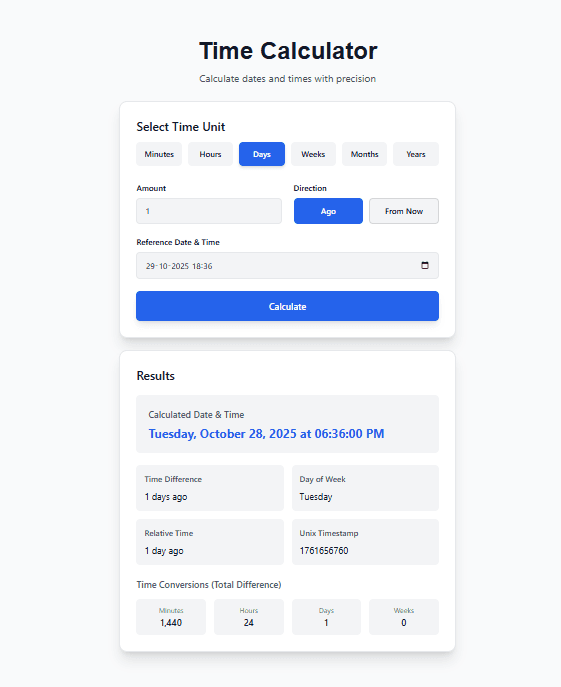
Date Formatter – Complete Guide to Format Dates and Times Online
Have you ever received a date from an API that looked like "2025-10-16T18:30:00Z" and had no idea what it meant? Or maybe you needed to display dates in different formats for users in different countries but did not know the correct patterns?
I remember building a web application that showed event dates to users around the world. A user in the United States saw "10/16/2025" and thought it meant October 16. A user in the United Kingdom saw the same "10/16/2025" and thought it meant 10 October 2025. The same date meant different things to different people. I had no idea that date formats varied by country.
After that confusion, I learned about date formatting standards. Now I know exactly how to format dates for any audience, any database, and any API. This guide will teach you everything you need to know about date formatting. No confusion. Just clear patterns and practical examples.
Quick access: Use our free date formatter here
What is a Date Formatter? Simple Answer
A date formatter is a tool that converts a date and time from one format to another. It takes a raw date (like "2025-10-16T18:30:00.000Z") and turns it into something humans can read (like "October 16, 2025" or "16/10/2025" or "Oct 16, 2025, 6:30 PM").
Simple example:
- Input:
2025-10-16 18:30:00 - US format:
10/16/2025 6:30 PM - European format:
16/10/2025 18:30 - ISO format:
2025-10-16T18:30:00Z
The same moment in time, but displayed differently for different audiences.
Why Date Formatting Matters
Dates are written differently around the world. Using the wrong format can cause confusion, errors, and even financial losses.
For international audiences:
- United States: MM/DD/YYYY (10/16/2025 = October 16)
- United Kingdom: DD/MM/YYYY (16/10/2025 = 16 October)
- Most other countries: DD/MM/YYYY or YYYY-MM-DD
For databases and APIs:
- ISO 8601 format (YYYY-MM-DD) is the international standard
- Sortable (alphabetical order matches chronological order)
- Unambiguous (no confusion between month and day)
For reports and documents:
- Consistent formatting looks professional
- Readers know what to expect
- Easier to scan and understand
For software development:
- Convert user input to standard format for storage
- Convert stored dates to user's preferred format for display
- Handle timezone conversions correctly
Common Date Formats Around the World
Different countries use different date formats. Here are the most common.
United States Format
Format: MM/DD/YYYY Example: 10/16/2025 means October 16, 2025
Common variations:
- 10/16/25 (short year)
- October 16, 2025 (full month)
- Oct 16, 2025 (abbreviated month)
United Kingdom and Europe Format
Format: DD/MM/YYYY Example: 16/10/2025 means 16 October 2025
Common variations:
- 16/10/25 (short year)
- 16 October 2025 (full month)
- 16 Oct 2025 (abbreviated month)
International Standard (ISO 8601)
Format: YYYY-MM-DD Example: 2025-10-16 means October 16, 2025
Why ISO is best for computers:
- Sortable (2025-10-16 comes before 2025-10-17)
- Unambiguous (nobody confuses month and day)
- International standard (used worldwide)
Asian Formats
Japan, China, Korea: YYYY-MM-DD or YYYY/MM/DD Example: 2025-10-16 or 2025/10/16
Date Format Quick Reference Table
| Country/Region | Common Format | Example (Oct 16, 2025) |
|---|---|---|
| United States | MM/DD/YYYY | 10/16/2025 |
| United Kingdom | DD/MM/YYYY | 16/10/2025 |
| Most of Europe | DD.MM.YYYY | 16.10.2025 |
| ISO Standard | YYYY-MM-DD | 2025-10-16 |
| Japan | YYYY/MM/DD | 2025/10/16 |
| Canada | Mixed (US and UK) | Depends on context |
Date Format Patterns and Tokens
Date formatting uses special tokens (placeholders) that get replaced with actual values.
Year Tokens
| Token | Description | Example (2025) |
|---|---|---|
| YYYY | 4-digit year | 2025 |
| YY | 2-digit year | 25 |
Month Tokens
| Token | Description | Example (October) |
|---|---|---|
| MM | 2-digit month | 10 |
| M | Month without leading zero | 10 |
| MMM | Abbreviated month name | Oct |
| MMMM | Full month name | October |
Day Tokens
| Token | Description | Example (16th) |
|---|---|---|
| DD | 2-digit day | 16 |
| D | Day without leading zero | 16 |
| ddd | Abbreviated day name | Thu |
| dddd | Full day name | Thursday |
Time Tokens (12-hour clock)
| Token | Description | Example (6:30 PM) |
|---|---|---|
| hh | 2-digit hour (01-12) | 06 |
| h | Hour (1-12) | 6 |
| mm | 2-digit minute | 30 |
| ss | 2-digit second | 00 |
| A | AM/PM uppercase | PM |
| a | AM/PM lowercase | pm |
Time Tokens (24-hour clock)
| Token | Description | Example (18:30) |
|---|---|---|
| HH | 2-digit hour (00-23) | 18 |
| H | Hour (0-23) | 18 |
| mm | 2-digit minute | 30 |
| ss | 2-digit second | 00 |
Common Date Format Patterns
Here are the most frequently used date format patterns.
Date-Only Patterns
| Pattern | Example | Use Case |
|---|---|---|
| YYYY-MM-DD | 2025-10-16 | ISO standard, databases |
| MM/DD/YYYY | 10/16/2025 | United States |
| DD/MM/YYYY | 16/10/2025 | United Kingdom, Europe |
| DD.MM.YYYY | 16.10.2025 | Germany, many European countries |
| MMMM D, YYYY | October 16, 2025 | Formal writing |
| MMM D, YYYY | Oct 16, 2025 | Informal writing |
| D MMMM YYYY | 16 October 2025 | British English |
Date and Time Patterns
| Pattern | Example | Use Case |
|---|---|---|
| YYYY-MM-DD HH:mm:ss | 2025-10-16 18:30:00 | ISO with time |
| MM/DD/YYYY hh:mm A | 10/16/2025 06:30 PM | US with 12-hour time |
| DD/MM/YYYY HH:mm | 16/10/2025 18:30 | European with 24-hour time |
| MMMM D, YYYY h:mm A | October 16, 2025 6:30 PM | Formal with time |
ISO 8601 Formats (International Standard)
| Pattern | Example | Use Case |
|---|---|---|
| YYYY-MM-DD | 2025-10-16 | Date only |
| YYYY-MM-DDTHH:mm:ss | 2025-10-16T18:30:00 | Date and time |
| YYYY-MM-DDTHH:mm:ssZ | 2025-10-16T18:30:00Z | UTC timezone |
Date Formatting by Use Case
For Databases
Best format: YYYY-MM-DD or YYYY-MM-DD HH:MM:SS
Why:
- Sortable (alphabetical order matches chronological order)
- Unambiguous (no confusion between month and day)
- Standard across all database systems
Example: 2025-10-16 18:30:00
For APIs
Best format: ISO 8601 with timezone
Why:
- International standard
- Includes timezone information
- Parsable by all programming languages
Example: 2025-10-16T18:30:00Z (UTC) or 2025-10-16T18:30:00+05:30 (with offset)
For User Interfaces (US Users)
Best format: MM/DD/YYYY or MMMM D, YYYY
Why:
- Familiar to US users
- Easy to read
Example: 10/16/2025 or October 16, 2025
For User Interfaces (European Users)
Best format: DD/MM/YYYY or D MMMM YYYY
Why:
- Familiar to European users
- Day comes before month
Example: 16/10/2025 or 16 October 2025
For File Names
Best format: YYYY-MM-DD
Why:
- Sortable when listing files
- No spaces (safe for all file systems)
- Unambiguous
Example: report-2025-10-16.pdf
For Reports and Documents
Best format: MMMM D, YYYY or D MMMM YYYY
Why:
- Professional appearance
- No ambiguity (month is spelled out)
- Easy to read
Example: October 16, 2025
Timezones and Date Formatting
Timezones add complexity to date formatting. The same moment in time is different in different timezones.
UTC (Coordinated Universal Time)
UTC is the global time standard. All timezones are expressed as offsets from UTC.
Example:
- UTC time: 2025-10-16 18:30:00 UTC
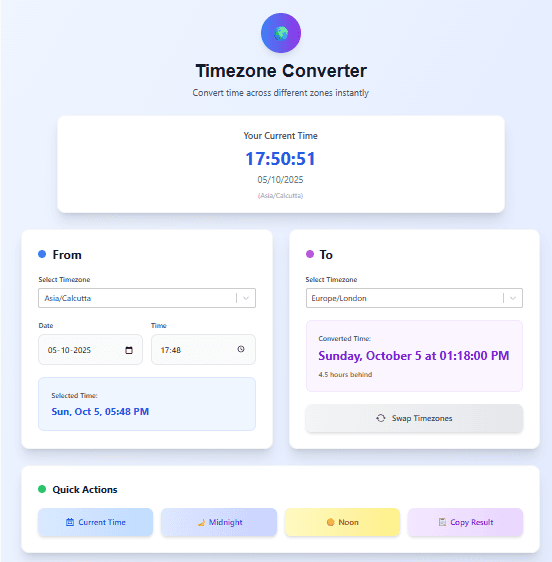
- New York (UTC-4): 2025-10-16 14:30:00
- London (UTC+1): 2025-10-16 19:30:00
- India (UTC+5:30): 2025-10-17 00:00:00
Timezone Offsets
| Timezone | Offset | Example (when UTC is 18:30) |
|---|---|---|
| New York | UTC-4 | 14:30 |
| Chicago | UTC-5 | 13:30 |
| Denver | UTC-6 | 12:30 |
| Los Angeles | UTC-7 | 11:30 |
| London | UTC+1 | 19:30 |
| Paris | UTC+2 | 20:30 |
| India | UTC+5:30 | 00:00 (next day) |
| Tokyo | UTC+9 | 03:30 (next day) |
| Sydney | UTC+11 | 05:30 (next day) |
Best Practices for Timezones
Store in UTC: Always store dates and times in UTC in your database.
Convert for display: Convert UTC to the user's local timezone when displaying.
Include timezone in APIs: When sending dates via APIs, include timezone information (use ISO 8601 with offset).
Be explicit: Never assume the user's timezone. Ask or detect it.
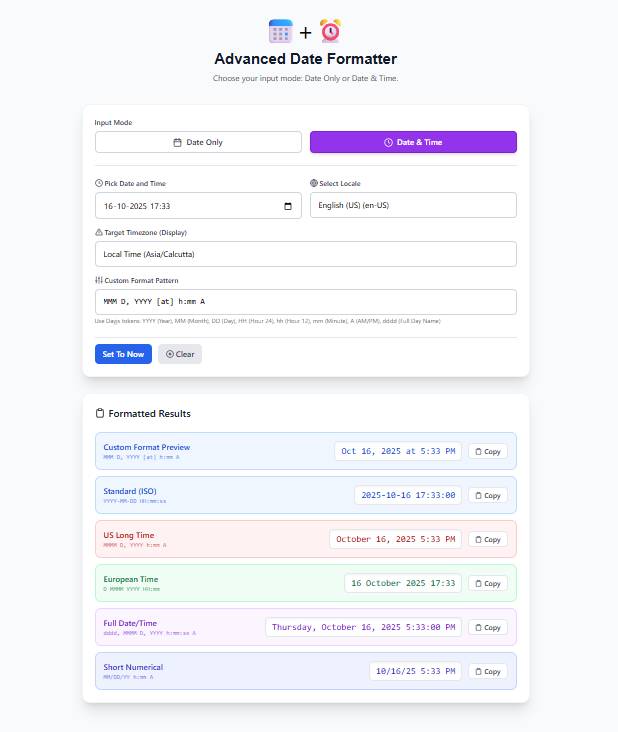
How to Use Our Date Formatter
Our date formatter tool makes date formatting simple.
Step 1: Select your mode:
- Date Only (no time)
- Date and Time
Step 2: Enter your date (use the date picker or type manually)
Step 3: Select your locale (language/region):
- English (US)
- English (UK)
- Hindi
- French
- German
- Spanish
- And more
Step 4: Select your timezone (e.g., Asia/Kolkata, America/New_York, Europe/London)
Step 5: Choose a preset format or enter a custom pattern:
- ISO Standard:
YYYY-MM-DD HH:mm:ss - US Long Time:
MMMM D, YYYY h:mm A - European:
D MMMM YYYY HH:mm - Short Numerical:
MM/DD/YY h:mm A - Or create your own using tokens
Step 6: View all formatted results
Step 7: Click Copy on any format to use it
All formatting happens in your browser. Your data never leaves your device.
Real-Life Examples of Date Formatting
Example 1: API Developer
Problem: An API returns dates in ISO format (2025-10-16T18:30:00Z). You need to display them to US users as October 16, 2025 at 2:30 PM (converted to their timezone).
Solution using date formatter:
- Enter
2025-10-16T18:30:00Z - Select timezone
America/New_York - Select format
MMMM D, YYYY [at] h:mm A - Result:
October 16, 2025 at 2:30 PM
Example 2: Report Writer
Problem: You are writing a report for a UK audience. You need dates in 16 October 2025 format.
Solution using date formatter:
- Enter your date
- Select locale
English (UK) - Select format
D MMMM YYYY - Result:
16 October 2025
Example 3: File Naming
Problem: You need to name daily report files with the current date, in a sortable format.
Solution using date formatter:
- Enter today's date
- Select format
YYYY-MM-DD - Result:
2025-10-16 - Use in file name:
report-2025-10-16.pdf
Example 4: Database Import
Problem: You have dates in multiple formats (10/16/2025, 16/10/2025, October 16, 2025) and need to convert them all to ISO format for database storage.
Solution using date formatter:
- Enter each date (tool automatically parses common formats)
- Select output format
YYYY-MM-DD - Result: All dates become
2025-10-16
Date Format Best Practices
For Storage (Databases, Files)
Always use ISO 8601 format: YYYY-MM-DD or YYYY-MM-DD HH:MM:SS
Why:
- Sortable
- Unambiguous
- International standard
- Supported everywhere
For Display (Users)
Use the user's local format:
- US users:
MM/DD/YYYYorMMMM D, YYYY - UK/European users:
DD/MM/YYYYorD MMMM YYYY
Include timezone for times: Show local time and indicate timezone
For APIs
Use ISO 8601 with timezone: YYYY-MM-DDTHH:MM:SSZ (UTC) or YYYY-MM-DDTHH:MM:SS±HH:MM (with offset)
For File Names
Use YYYY-MM-DD at the beginning for sortability
Common Date Formatting Mistakes
Mistake 1: Confusing MM/DD/YYYY and DD/MM/YYYY
Problem: 10/16/2025 means October 16 in the US, but 10 October in the UK.
Solution: Use unambiguous formats (YYYY-MM-DD or spell out the month) when the audience is international.
Mistake 2: Ignoring Timezones
Problem: Storing 2025-10-16 18:30:00 without timezone information. Is that 6:30 PM UTC? New York? London?
Solution: Always store in UTC. Convert to local time for display.
Mistake 3: Using 2-Digit Years
Problem: 10/16/25 could be 1925, 2025, or 2125.
Solution: Use 4-digit years unless space is extremely limited.
Mistake 4: Inconsistent Formats in the Same System
Problem: Some dates as 10/16/2025, others as 16/10/2025, others as October 16, 2025.
Solution: Choose one standard format for storage. Convert for display.
Mistake 5: Not Testing with International Users
Problem: You assume everyone understands MM/DD/YYYY.
Solution: Test with users from different countries. Use unambiguous formats when possible.
Frequently Asked Questions
Q: How to format a date online?
A: Use our date formatter tool. Enter your date, select format pattern, and get instant results.
Q: What is the best date format for databases?
A: ISO 8601 format: YYYY-MM-DD or YYYY-MM-DD HH:MM:SS. It is sortable, unambiguous, and standard.
Q: What is the difference between MM/DD/YYYY and DD/MM/YYYY?
A: MM/DD/YYYY (US) puts month first. DD/MM/YYYY (UK/Europe) puts day first. 10/16/2025 is October 16 in US, but 10 October in UK.
Q: How to convert date to ISO format?
A: Use our date formatter. Enter your date, select ISO format (YYYY-MM-DD), and copy the result.
Q: What date format does the US use?
A: The United States primarily uses MM/DD/YYYY. Example: October 16, 2025 is written as 10/16/2025.
Q: What date format does the UK use?
A: The United Kingdom primarily uses DD/MM/YYYY. Example: 16 October 2025 is written as 16/10/2025.
Q: What is ISO date format?
A: ISO 8601 format is YYYY-MM-DD. Example: October 16, 2025 is 2025-10-16. It is the international standard.
Q: How to include timezone in date formatting?
A: Use ISO 8601 with timezone: 2025-10-16T18:30:00Z for UTC or 2025-10-16T18:30:00+05:30 for a specific offset.
Q: What does Z mean in date format?
A: Z stands for Zulu time (UTC). 2025-10-16T18:30:00Z means 6:30 PM UTC.
Q: How to convert timestamp to readable date?
A: Enter the timestamp in our date formatter. The tool converts it to readable formats.
Q: What is the best date format for file names?
A: YYYY-MM-DD at the beginning. Example: 2025-10-16_report.pdf. This ensures files sort chronologically.
Q: Can I format dates in different languages?
A: Yes. Our tool supports multiple locales including English (US/UK), Hindi, French, German, Spanish, and more.
Q: Does the date formatter handle timezone conversion?
A: Yes. You can select any timezone, and the tool converts the date to that timezone before formatting.
Q: What is a Unix timestamp?
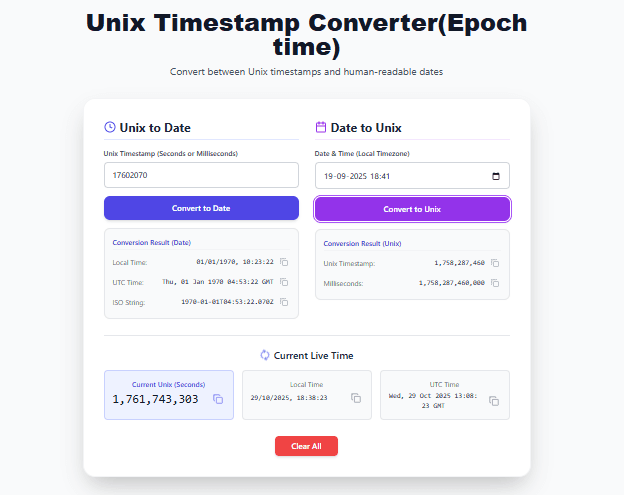
A: A Unix timestamp is the number of seconds since January 1, 1970 UTC. Example: 1697485800.
Q: Is the date formatter free?
A: Yes. Completely free. No signup. No limits.
My Final Advice
After years of dealing with date formats in software development, databases, and reports, here is what I have learned.
Use ISO 8601 for storage. Store dates as YYYY-MM-DD in databases. Store date-times as YYYY-MM-DD HH:MM:SS in UTC. You will never have ambiguity.
Convert for display. Always convert stored dates to the user's local format and timezone before showing them. Do not store display-formatted dates.
Know your audience. If your users are in the US, use MM/DD/YYYY. If they are in the UK or Europe, use DD/MM/YYYY. If they are international, spell out the month or use ISO.
Be consistent. Pick one format for each context and stick to it. Inconsistent formatting confuses users.
Test with real users. What makes sense to you might not make sense to someone from another country. Test your date displays.
Use a date formatter for conversions. Manual date formatting is error-prone. Use our tool to convert between formats accurately.
And finally, do not guess. If you are unsure about the correct format for your use case, look it up. A few minutes of research saves hours of confusion later.
Have questions about date formatting for a specific use case? Leave a comment below. I try to answer every one.
Tags: date formatter, how to format dates, online date converter, datetime formatter, date format patterns, timezone date converter, custom date pattern, format date online, date formatter tool, yyyy-mm-dd format, mm/dd/yyyy format, dd/mm/yyyy format, date format by country, iso date format, unix timestamp to date, date localization, date formatting for developers, date formatting for databases, date formatting for reports, date formatting for APIs, date formatting for spreadsheets, date format tokens, dayjs date format, momentjs date format, date formatter with timezone, date formatter with locale, date formatter with custom pattern, best date format for storage, best date format for display, date format best practices